Buying Bitcoin at Swissquote
How to create a limit order on your computer.
What you need
- An open account at Swissquote
- Username and password
- Your phone with the Swissquote app
- Funds in the account
Good to know
- Here, Bitcoin is traded against US dollars (BTC/USD) or against euros (BTC/EUR).
- With a limit, you set the highest price you will pay.
- You can also buy a fraction of a Bitcoin.
What this purchase costs
Source: Swissquote, pricing and help pages (accessed 21.11.2026). Fees change: check with Swissquote before buying. Worked examples are in the guide «Buying Bitcoin in Switzerland».
Before you start
- Swiss francs exchanged into the trading currency
- Pair chosen: BTC/USD or BTC/EUR
- Amount decided
- Limit thought through: your highest price
- Phone ready for the approval
- Time to check the order calmly
Source: List Blockfundament
Log in
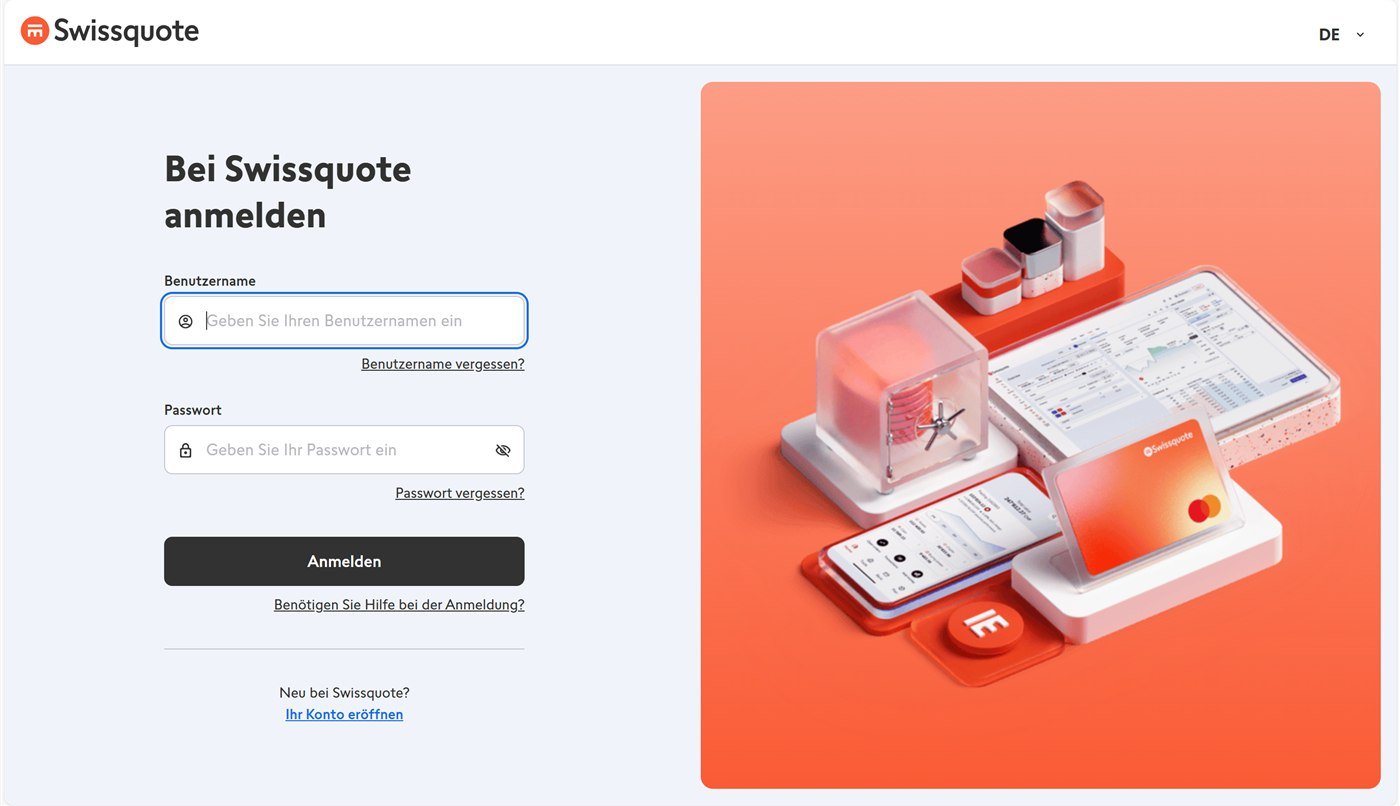
Open the Swissquote login page and enter your username and password. Type the address yourself or use a bookmark instead of following a link from an email.
- 1Enter your username
- 2Enter your password
- 3Click «Anmelden» (Log in)
 123
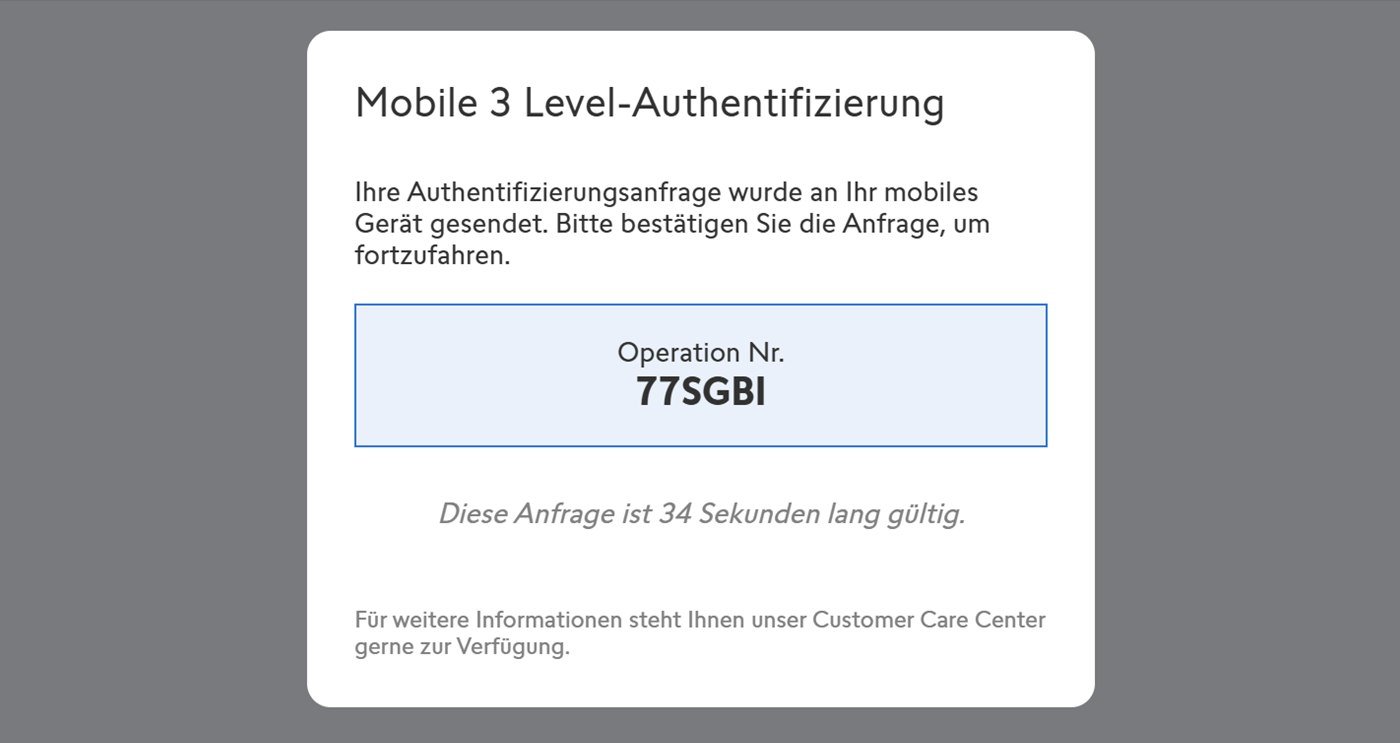
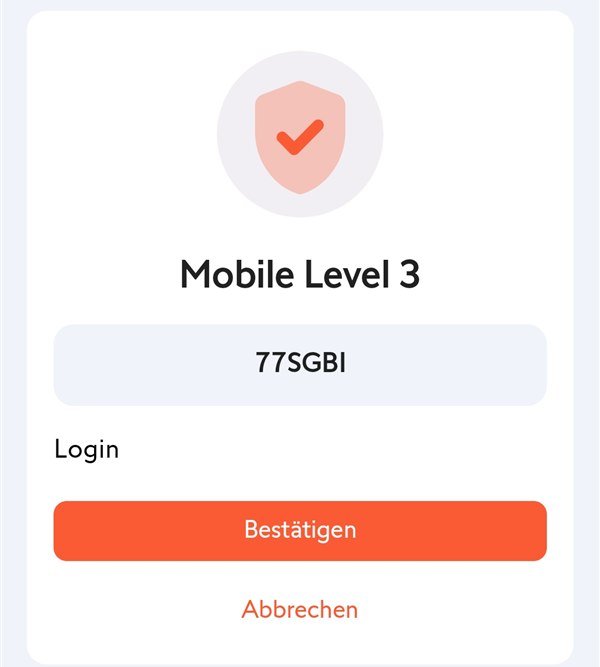
Confirm the login on your phone
A number appears on the computer. Open the Swissquote app, compare the number and tap «Bestätigen» (Confirm). If the number does not match, cancel.
Choose the trading account
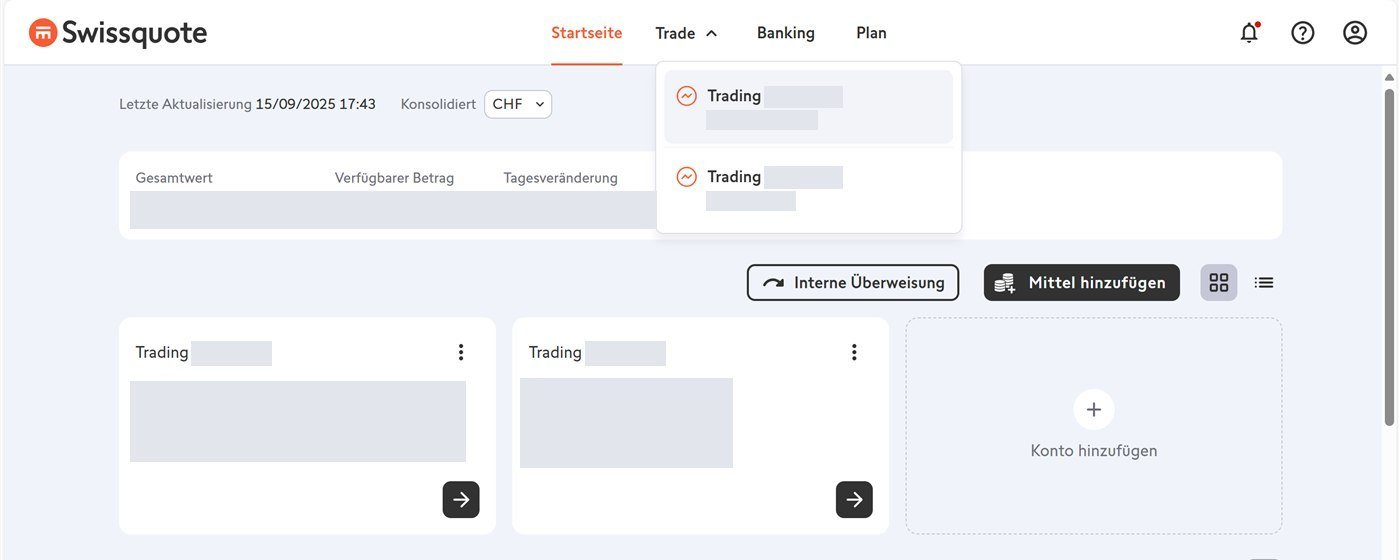
Click «Trade» at the top and choose your trading account.
- 1Open «Trade»
- 2Select the account
 12
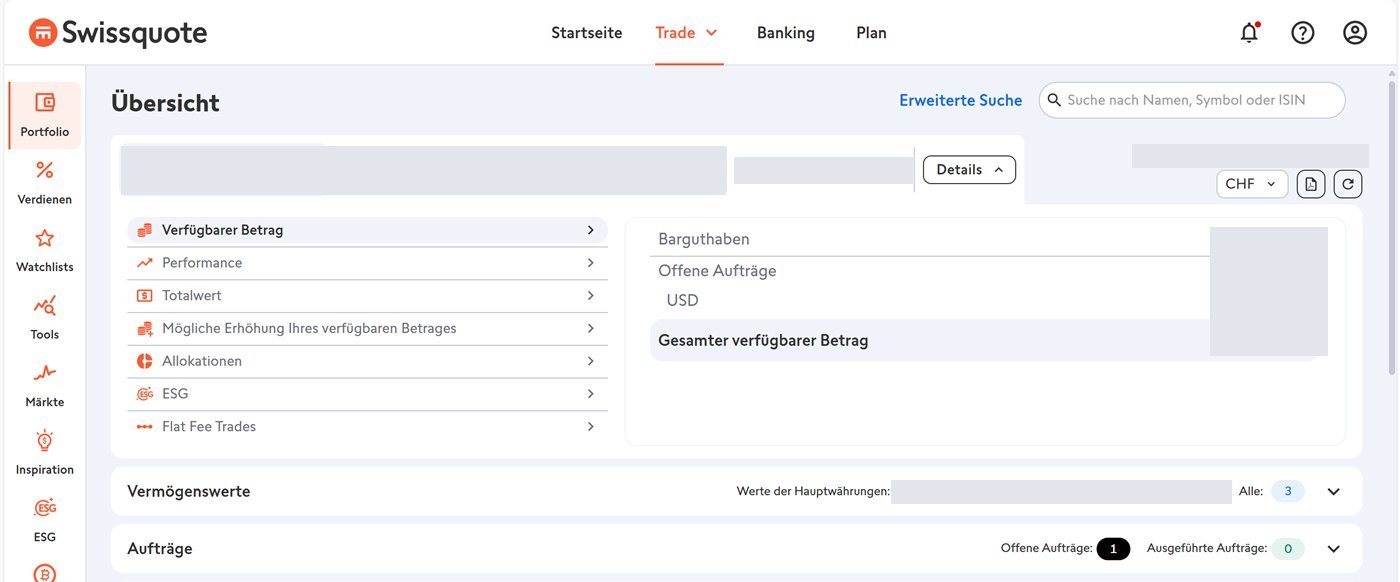
Check your funds
In the overview, «Verfügbarer Betrag» (Available amount) shows how much money you can use.
 1
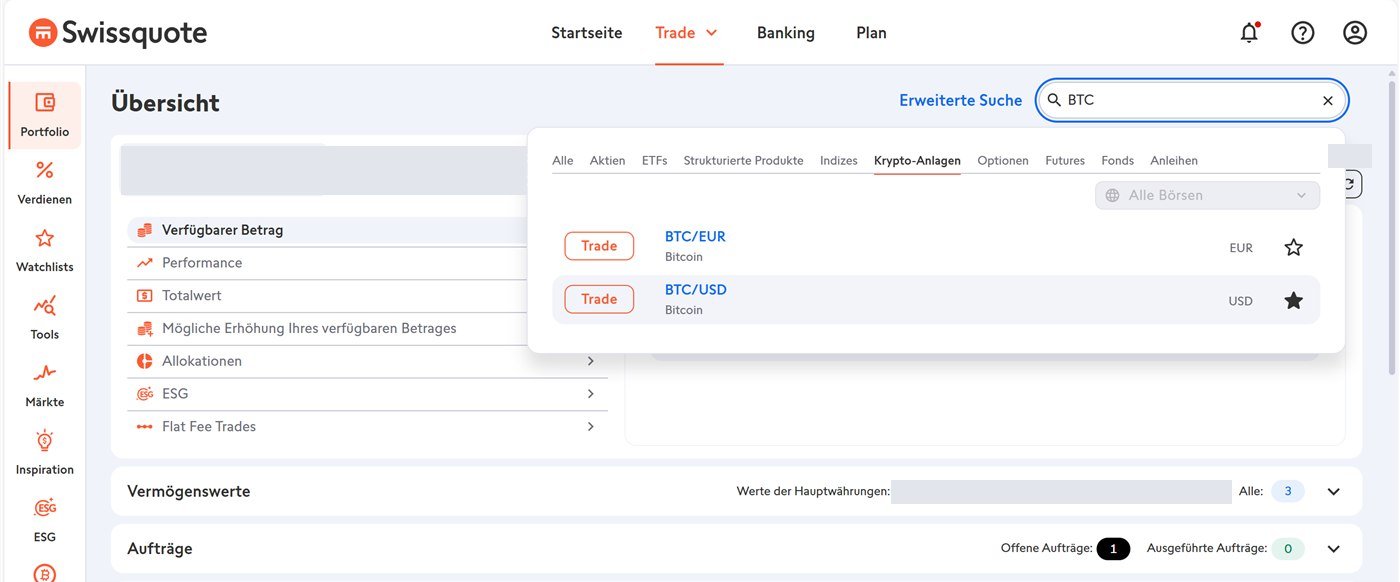
Search for Bitcoin
Type «BTC» into the search field at the top right. Choose the «Krypto-Anlagen» (Crypto assets) tab and click «Trade» next to the currency pair you want.
- 1Enter «BTC»
- 2«Krypto-Anlagen» (Crypto assets) tab
- 3«Trade» next to BTC/USD or BTC/EUR
 123
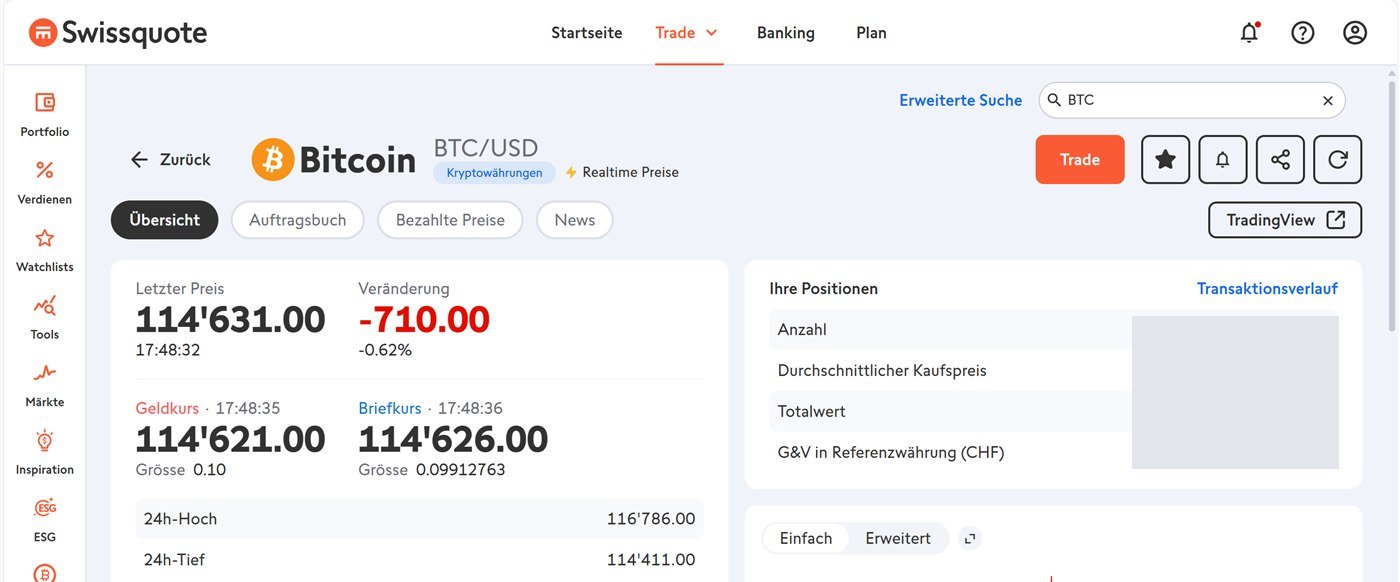
Open the Bitcoin page
You now see the current price. Click the orange «Trade» button to open the order window.
 1
In the full handout
- Filling in the limit order, field by field
- How the limit works
- Checking, changing and deleting the order
This is an excerpt.
You get the full guide with all eight steps in the coaching.
bitpoint.schweiz@gmail.com
Screenshots from 15 September 2025. Swissquote's interface may have changed since then. Fees according to Swissquote, accessed on 21 November 2026. This handout is a user guide and not investment, tax or legal advice. Amounts and prices in the images are examples, not recommendations. The screenshots show the German-language interfaces. Brand names and screenshots belong to their providers; Blockfundament is independent. © Florian Felber, Blockfundament