Send Bitcoin to your cold wallet
How to transfer your Bitcoin from Swissquote to your own hardware wallet.
What you need
- Username and password for Swissquote, phone with the Swissquote app
- Your address is on the whitelist (handout «Verify your wallet»)
- Your hardware wallet, to check the incoming Bitcoin
Good to know
- Swissquote processes withdrawals once a day.
- In the example, Swissquote charges a fee of USD 10 per withdrawal.
- According to its own help pages, Swissquote does not support withdrawals to exchanges. The address must belong to you.
- Only once the Bitcoin are on your wallet do you hold the keys yourself.
What the withdrawal costs
Source: Swissquote, pricing page (accessed 21.11.2026); percentages: own calculation Blockfundament, with one dollar at about 80 centimes. The flat fee hits small amounts hard: better to transfer rarely and in larger amounts.
Before you start
- The purchase has been executed
- The address is on the whitelist
- The backup of the hardware wallet has been created and checked
- Hardware wallet and cable are at hand
- Phone ready for the approval
- Time to compare the address on the device
Source: List Blockfundament
Log in
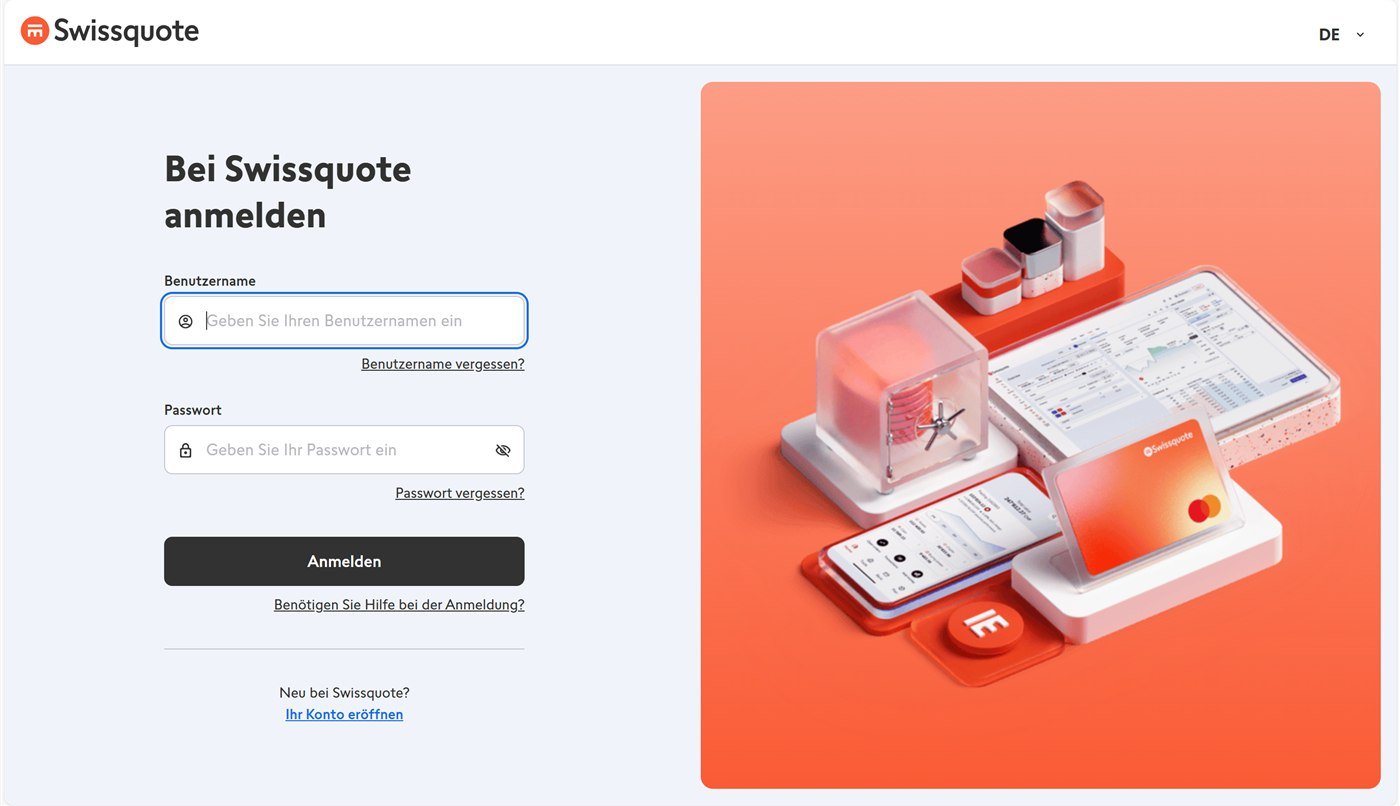
Open the Swissquote login page and enter your username and password. Type the address yourself or use a bookmark instead of following a link from an email.
- 1Enter your username
- 2Enter your password
- 3Click «Anmelden» (Log in)
 123
Confirm the login on your phone
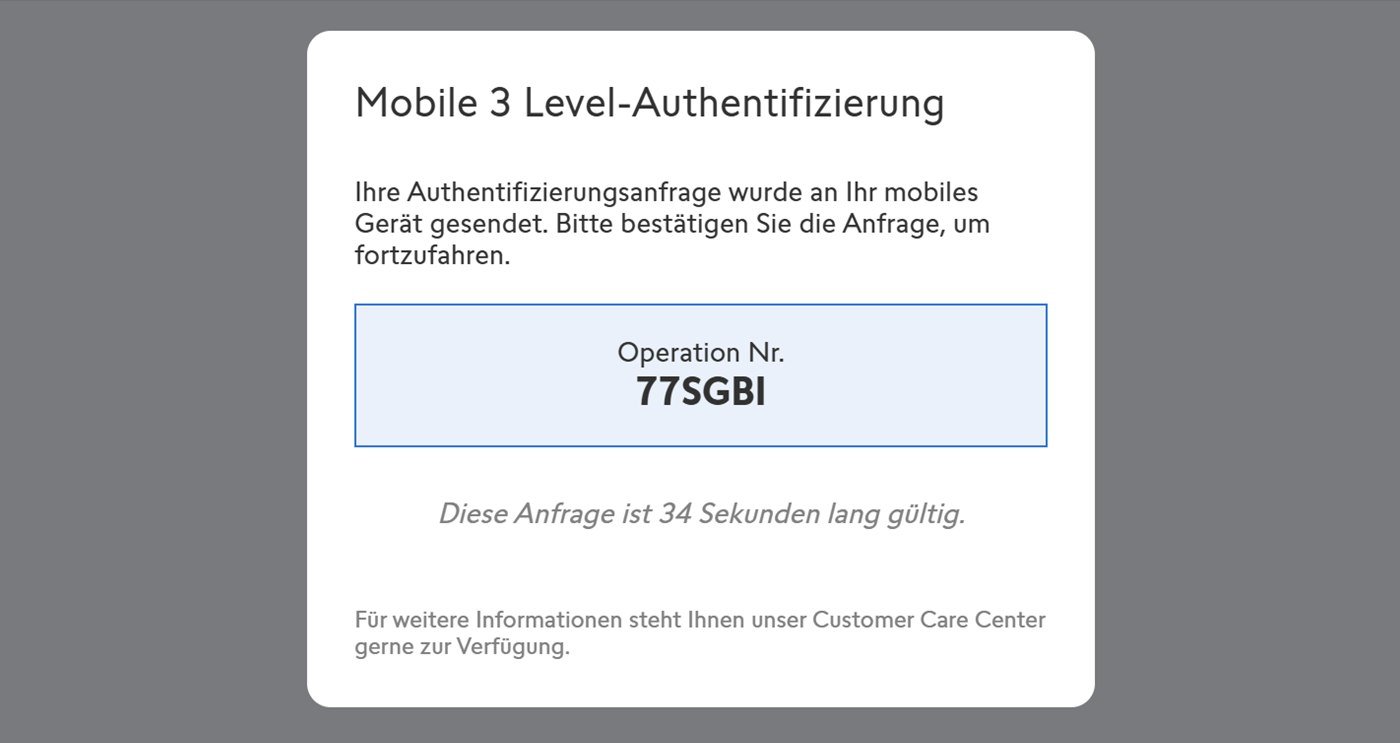
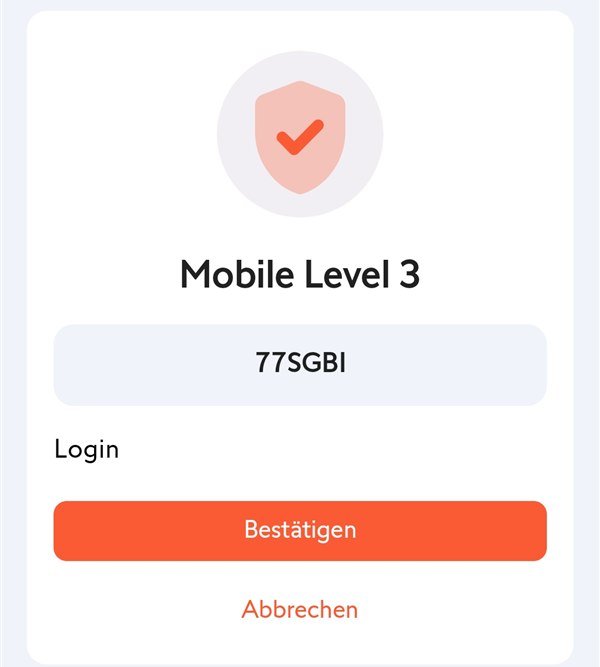
A number appears on the computer. Open the Swissquote app, compare the number and tap «Bestätigen» (Confirm). If the number does not match, cancel.
Start the withdrawal
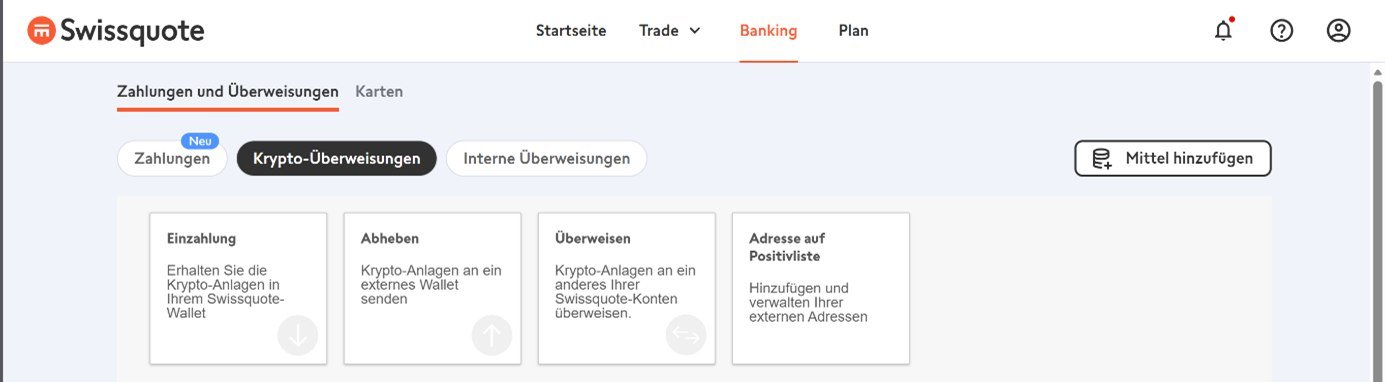
Click «Banking» at the top, then «Krypto-Überweisungen» (Crypto transfers) and the «Abheben» (Withdraw) tile.
- 1«Banking»
- 2«Krypto-Überweisungen» (Crypto transfers)
- 3«Abheben» (Withdraw)
 123
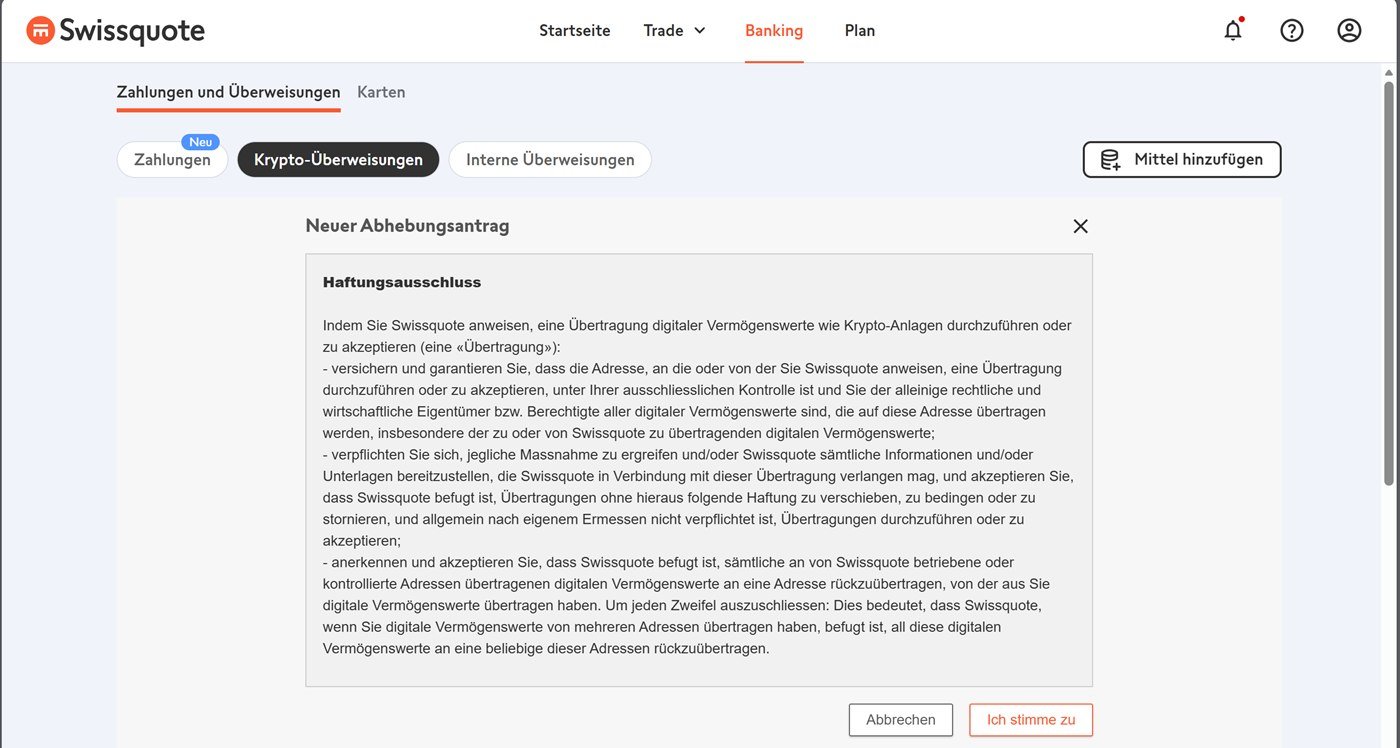
Read the disclaimer
Read the text and click «Ich stimme zu» (I agree).
 1
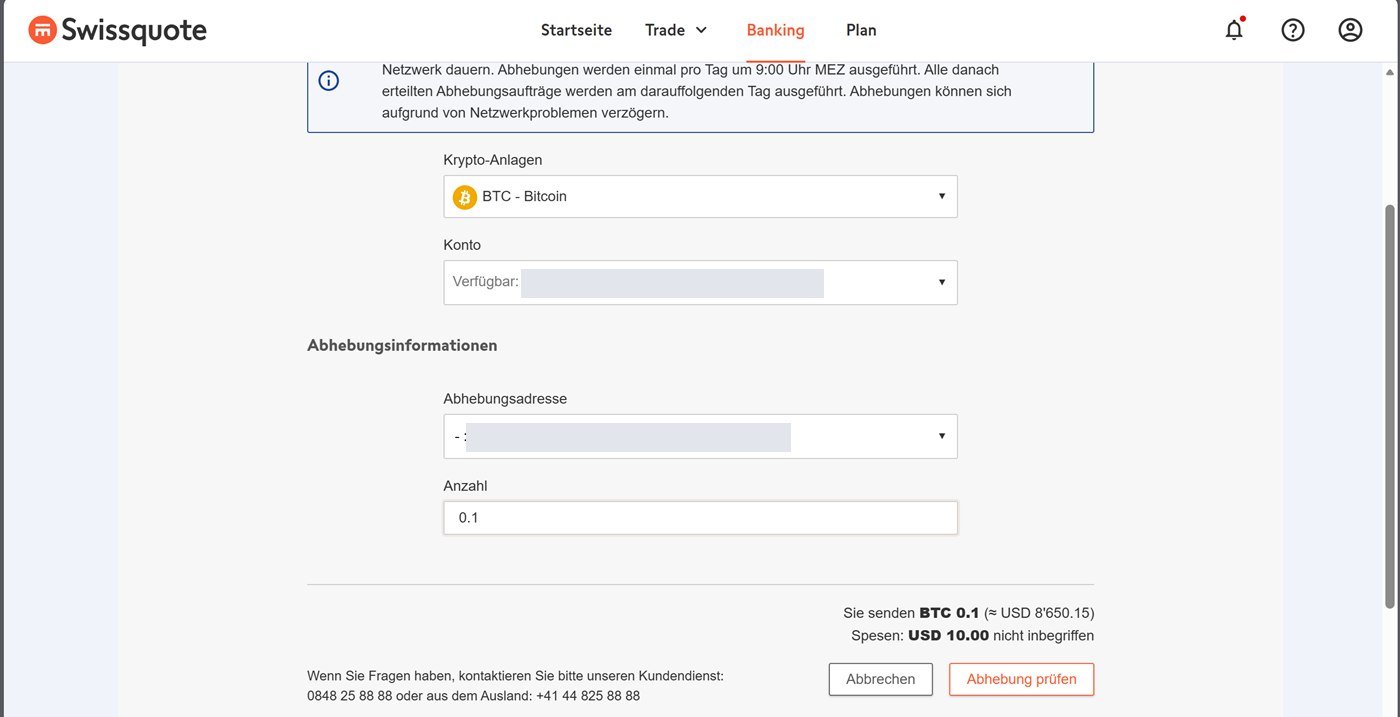
Fill in the withdrawal
Fill in the form from top to bottom.
- 1Crypto asset «BTC – Bitcoin»
- 2Choose the account the Bitcoin will be taken from
- 3Choose the withdrawal address: your verified address
- 4Enter the amount of Bitcoin
- 5«Abhebung prüfen» (Review withdrawal)
 12345
In the full handout
- Confirm the withdrawal
- When Swissquote processes the withdrawal
- Check the incoming Bitcoin on your hardware wallet
This is an excerpt.
You get the full guide with the confirmation, the deadlines and the check on your hardware wallet in the coaching.
bitpoint.schweiz@gmail.com
Screenshots from January 2026. Swissquote's interface, fees and deadlines may have changed since then. This handout is a user guide and not investment, tax or legal advice. Amounts and prices in the images are examples, not recommendations. The screenshots show the German-language interfaces. Brand names and screenshots belong to their providers; Blockfundament is independent. © Florian Felber, Blockfundament